


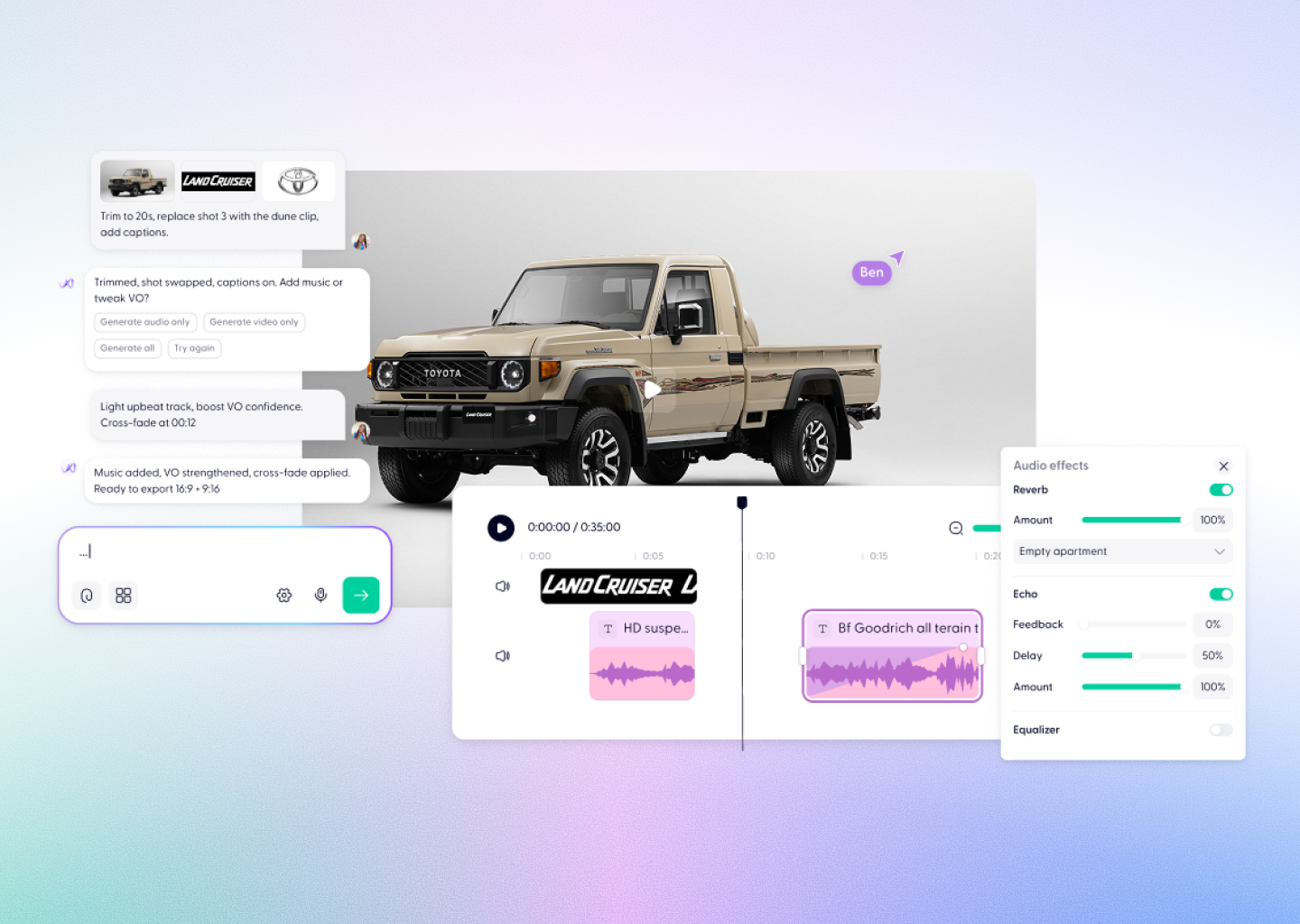



Veo 3.1 Video Creation, Powered by Wondercraft
Veo 3.1 is Google’s most advanced AI video model — now seamlessly integrated into Wondercraft Studio. It combines breathtaking realism, precise prompt control, and synchronized native audio to create cinematic videos that feel intentional and human.
In Wondercraft, Veo 3.1 isn’t just a video generator — it’s part of a complete creative platform where you can script, edit, score, and publish your content effortlessly.
In Wondercraft, Veo 3.1 isn’t just a video generator — it’s part of a complete creative platform where you can script, edit, score, and publish your content effortlessly.
Try it in Wondercraft

Veo 3.1
Veo 3.1 takes Google’s generative video technology to the next level, with superior visual realism, improved scene coherence, and new creative control options — all enhanced by Wondercraft’s production tools.
Native Audio Generation
Generate synchronized ambient sound, dialogue, and music alongside your visuals.
Photorealistic Quality
Industry-leading physics, lighting, and motion for cinematic realism.
Prompt Adherence
Improved accuracy to match tone, subject, and context with minimal re-generation.
Reference Guidance
Use images or video frames to maintain character and style consistency across scenes.
Scene Extension + Transitions
Easily create longer videos or seamless multi-scene sequences with first-to-last-frame control.
Creative Freedom
Control pacing, framing, and atmosphere directly through Wondercraft’s editor and AI assistant.
Wondercraft Video Workflows
Wondercraft transforms Veo 3.1 into a tool for teams, marketers, and creators who need quality and speed in one studio.

From Concept to Camera
Start from a prompt, storyboard, or script — Wondercraft turns it into a full cinematic sequence.

Sound and Voice Integration
Pair Veo’s native audio with AI voices, background music, or SFX from Wondercraft’s library.

Editing Suite
Fine-tune timing, captions, and branding with a full visual editor and timeline.


Collaboration
Work together in real time — review, comment, and approve directly in the studio.

Publishing and Distribution
Export in any aspect ratio or share instantly through branded Wondercraft pages.

Veo 3 vs. Veo 3.1 in Wondercraft
Features
Veo 3
 + Veo 3.1
Audio
Realism
Prompt Accuracy
Controls
Editing
Collaboration
Ideal for
Basic sound support
High
Standard
Text prompt
API level
External
Quick visual ideas
Full native dialogue + ambience
Highest — cinematic lighting + physics
Advanced context and style adherence
Text + Reference image + Frame guide
Full Wondercraft timeline + AI direction
Built in via teams + share pages
Professional storytelling + campaigns + films
Sora 2
10 seconds
Native, basic
Simple remix
None
In-app feed only
Just Sora 2
In-app feed only
+ Sora 2 Pro
Minutes, extended workflows
Full voices, music, sound design
Timeline, brand kit, captions
Teams + guest access
Branded pages, embeds, socials
Sora 2 + Veo 3 + PixVerse + more
Wonda, your AI creative director

Why Wondercraft?
Production ready from day one
Veo 3.1 brings cinematic AI video; Wondercraft adds editing, sound, and publishing so you can release instantly.
Multi-model power
Use Veo 3.1 alongside Sora 2 Pro, LTX-2, and PixVerse without leaving the studio.
Team workflows built in
Edit, collaborate, and publish from the same workspace.
AI as a creative partner.
Wonda helps direct, pace, and polish your story — while you stay in control.
How it works
FAQs
Everything you need to know about our AI video generator
What is Veo 3.1 Pro?

Veo 3.1 is Google’s latest AI video model offering native audio, high-fidelity visuals, and advanced creative controls for cinematic video generation.
Is Veo 3.1 available in Wondercraft?
Yes — you can generate and edit Veo 3.1 videos directly inside Wondercraft Studio.
What makes Veo 3.1 different from other models?
It offers unmatched realism, prompt accuracy, and the ability to guide generation using reference images and scene transitions.
Can I add my own sound or voice?
Absolutely. Wondercraft lets you mix Veo’s native audio with voices, music, and sound effects.
Do I need editing experience?
No. Wondercraft’s timeline and AI assistant (Wonda) make it easy to refine your video visually and sonically.
Can I use multiple models together?
Yes. Wondercraft integrates Veo 3.1 with other top AI models to cover every creative need — from video to voice to sound.
Cinematic AI Video Meets Creative Control.
Create, edit, and publish stunning videos with Veo 3.1 and the world’s top AI models — all inside Wondercraft Studio.
Try it in Wondercraft