





Runway Gen-4 Aleph Video Creation, Powered by Wondercraft
Runway Aleph (Gen-4) is the next evolution of video intelligence — a model that doesn’t just generate video but understands, edits, and transforms it. From adding or removing objects to changing lighting, camera angles, or entire environments, Aleph introduces a new era of in-context video editing.
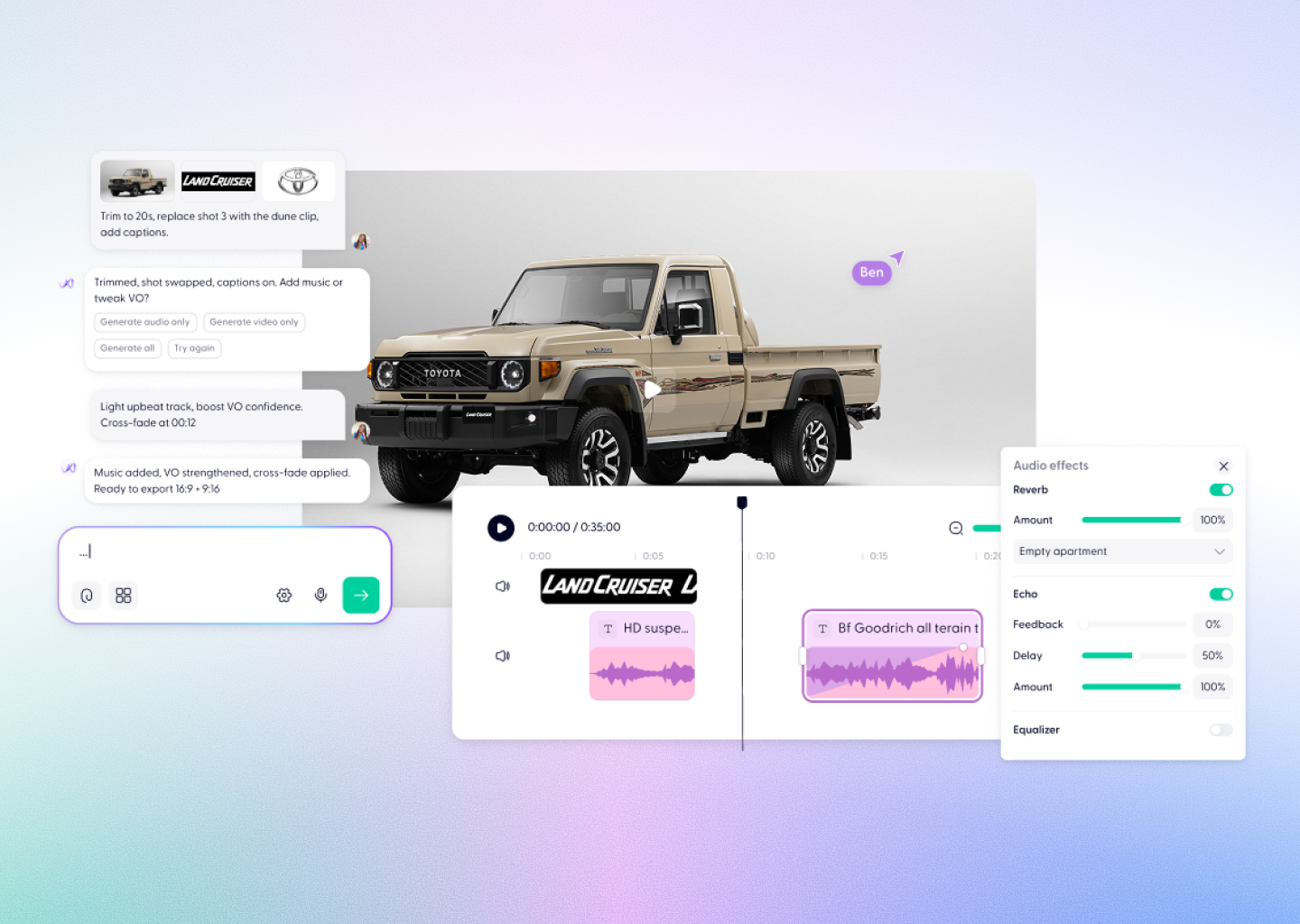
Now integrated into Wondercraft Studio, Runway Aleph becomes part of a full creative workflow — where you can generate, edit, mix sound, and publish videos seamlessly, without leaving your browser.
Now integrated into Wondercraft Studio, Runway Aleph becomes part of a full creative workflow — where you can generate, edit, mix sound, and publish videos seamlessly, without leaving your browser.
Try it in Wondercraft

Runway Aleph
Runway Aleph redefines what’s possible in video generation — merging advanced editing, realistic transformation, and contextual understanding in one model.
In-Context Editing
Add, remove, or transform any object, subject, or environment directly from your prompt.
Camera & Scene Generation
Generate new camera angles, reverse shots, or entirely new sequences from existing clips.
Lighting & Style Control
Change mood, time of day, or color palette while maintaining natural realism.
Character Consistency
Alter age, outfit, or expression across multiple shots while preserving continuity.
Dynamic Relighting
Transform any scene’s lighting conditions with accurate shadows and reflections.
Green Screen Mode
Isolate people or objects automatically for seamless compositing and storytelling.
Wondercraft Video Workflows
Wondercraft extends Runway Aleph beyond editing and transformation — turning it into a production-ready storytelling system.

From Raw Footage to Story
Use Aleph to modify real video, then add narration, captions, or sound design with Wondercraft.

AI Voices and Audio Layers
Sync realistic voiceovers, ambient sound, or music directly to your edited clips.

Powerful Editing Tools
Trim, sequence, caption, and brand your Aleph videos on Wondercraft’s full video timeline.

Team Collaboration
Invite teammates or clients to review and approve edits collaboratively.

Publishing and Export
Export final cuts in any aspect ratio or format, ready for campaigns or social media.

Runway Aleph Alone vs. Runway Aleph in Wondercraft
Feature
Runway Aleph Alone
 Runway Aleph in Wondercraft
Capabilities
Control
Workflow
Ideal for
Object & scene editing
Text or reference-based
Clip-by-clip transformation
Scene retouching
Full production with voice, sound, and editing
Text, timeline, and Wonda co-direction
End-to-end creation from raw to release
Storytelling, branded, and narrative video creation
Runway Aleph Alone
Object & scene editing
Text or reference-based
Clip-by-clip transformation
Scene retouching
Runway Aleph in Wondercraft
Full production with voice, sound, and editing
Text, timeline, and Wonda co-direction
End-to-end creation from raw to release
Storytelling, branded, and narrative video creation

Why Wondercraft?
From edit to emotion.
Aleph edits scenes; Wondercraft turns them into sound-rich, story-driven videos.
Every model, one studio.
Work seamlessly with Aleph, Sora 2 Pro, Veo 3.1, Kling 2.5, Seedance 1.0 Pro, and more.
True production workflows.
Collaborate, refine, and publish videos directly from Wondercraft — no extra tools needed.
AI that understands creativity.
Wonda helps you shape tone, pacing, and emotion to match your story.
How it works
FAQs
Everything you need to know about Runway Aleph
What is Runway Aleph?

Aleph (Gen-4) is Runway’s state-of-the-art in-context video model capable of editing, transforming, and generating footage through natural prompts.
Is Aleph available in Wondercraft?
Yes. Runway Aleph is fully integrated into Wondercraft Studio for generation, transformation, editing, and publishing.
What makes Aleph unique?
It can change environments, lighting, angles, or even subjects inside existing videos — maintaining realism throughout.
Can I add dialogue or sound?
Yes. Wondercraft lets you layer voiceovers, music, and effects to your Aleph-generated clips.
Do I need editing experience?
Not at all. Wondercraft’s drag-and-drop editor makes Aleph’s advanced tools easy to use for anyone.
Can I combine Aleph with other models?
Absolutely. Use Aleph for transformation, Sora 2 Pro for generation, or Veo 3.1 for cinematic realism — all within one studio.
Edit Anything. Create Everything.
From subtle lighting fixes to full cinematic transformations, Runway Gen-4 Aleph in Wondercraft Studio gives you total creative freedom — all in one intelligent, production-ready workspace.
Try it in Wondercraft