




Gemini 3.8 TTS Voiceover, Powered by Wondercraft
Gemini 3.8 TTS is Google’s latest text-to-speech model family, positioned for expressive, high-fidelity voice. Direct the performance with style instructions, then build voiceover into a complete video in Wondercraft.
Try it in Wondercraft


Gemini 3.8 TTS
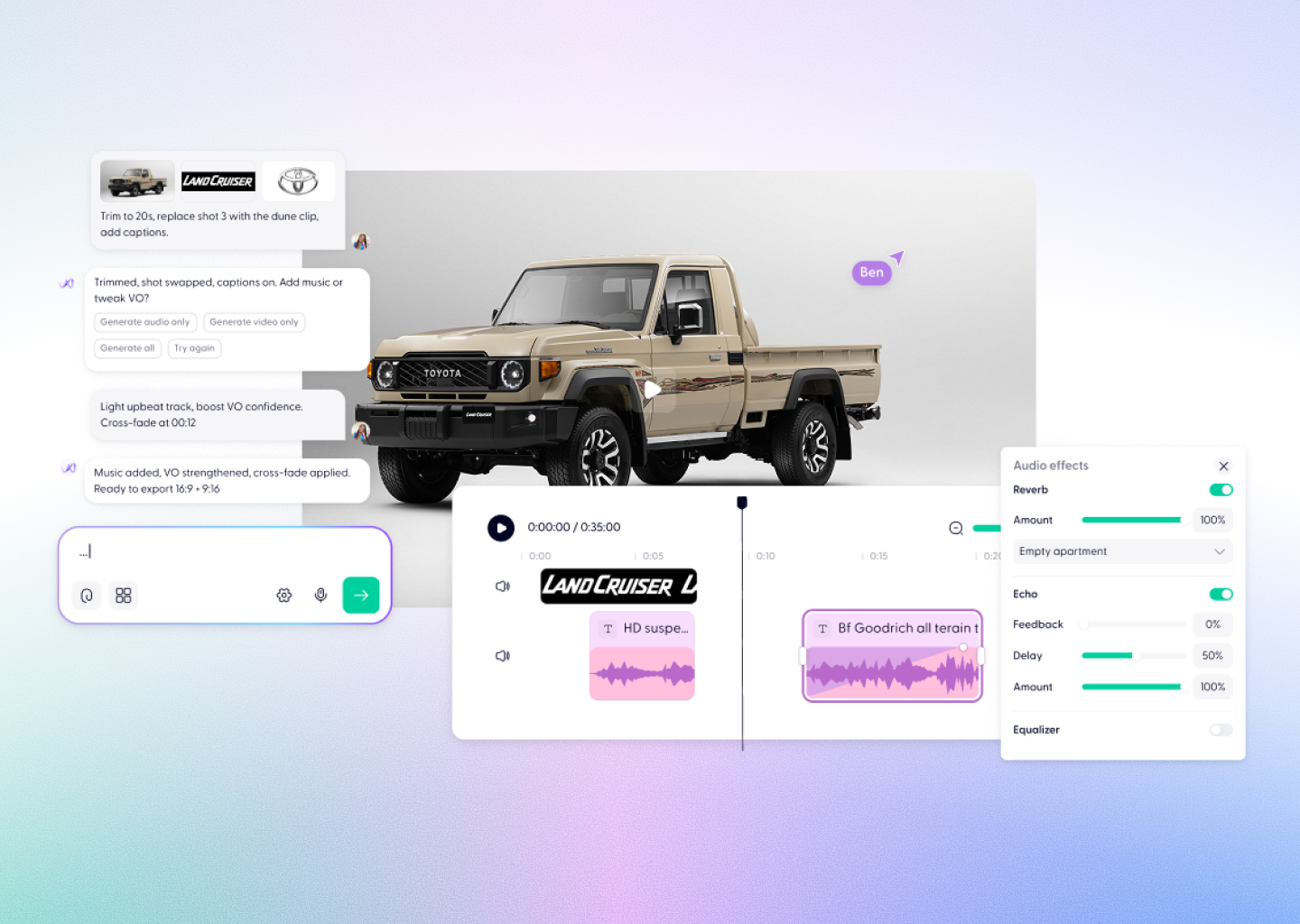
Gemini 3.8 TTS lets you choose from more than 2000 voices, direct delivery with style instructions, and create single-speaker narration or two-speaker dialogue. In Wondercraft, that voiceover lands on the timeline next to your visuals and music.
2050 voices
Choose from a library of prebuilt voices.
Style direction
Guide tone, pacing, and delivery with plain-language instructions.
Two-speaker dialogue
Create conversations between two voices as well as single-speaker narration.
Inline vocal events
Add non-speech moments such as laughs and sighs directly in the script.
Automatic language detection
The model detects the input language for you.
New flagship tier
Replaces the 3.1 Flash TTS preview as Google’s new flagship creative speech tier.
Wondercraft Visual Workflows
Wondercraft connects Gemini 3.8 TTS’s expressive voice generation to a complete production workflow, so a script becomes a finished video in one place.

Write or paste your script
Add the exact text you want spoken.

Choose a voice
Pick from 2050 voices to match your content.

Direct the delivery
Add style instructions for tone, pace, and emotion.

Generate narration or dialogue
Create single-speaker narration or two-speaker dialogue.

Build it into your video
Place the voiceover on the timeline with visuals, music, and captions.

Gemini 3.8 TTS alone vs. Gemini 3.8 TTS in Wondercraft
Feature
Gemini 3.8 TTS Alone
 Gemini 3.8 TTS in Wondercraft
Capabilities
Workflow
Control
Ideal for
Expressive AI voiceover
Script, voice, and style instructions
A standalone audio file
Developers and audio producers
Voice, video, music, and publishing
From script to finished video
Voiceover placed on a timeline with visuals
Marketing, training, and communications teams
Flux.1 Kontext Max Alone
Long-form multi-image editing
Image generation and scene mapping
Text and style-based guidance
Visual designers, art directors
Flux.1 Kontext Max in Wondercraft
Full multimedia storytelling with audio and timeline
End-to-end production from script to release
Visual, audio, and Wonda-assisted co-direction
Storytellers, educators, and production teams

Why Wondercraft?
Voiceover that stays in the edit
Generate speech and place it straight on your video timeline.
Every voice in one studio
Use Gemini 3.8 TTS alongside other voice models in Wondercraft.
Script to screen in one place
Write, voice, edit, and export without switching tools.
Direct the performance
Pair style instructions with Wonda to match tone to your content.
How it works
FAQs
Everything you need to know about
Gemini 3.8 TTS
What is Gemini 3.8 TTS?

Gemini 3.8 TTS is Google’s text-to-speech model family, released in September 2026. Gemini 3.8 Flash TTS is its flagship creative model, and Flash-Lite TTS is the faster, high-throughput option.
How many voices does Gemini 3.8 TTS offer?
Gemini 3.8 Flash TTS offers 30 voices, and you can direct delivery with style instructions.
Can Gemini 3.8 TTS create dialogue?
Yes. You can create single-speaker narration or two-speaker dialogue.
Does Gemini 3.8 TTS detect the language automatically?
Yes. Gemini 3.8 TTS detects the input language automatically.
Is Gemini 3.8 TTS available in Wondercraft?
Yes. Gemini 3.8 TTS is available in Wondercraft as part of a complete voice and video workflow.
Expressive. Directed. Ready to publish.
Create Gemini 3.8 TTS voiceover with style direction, then turn it into polished, business-ready content in Wondercraft, from first script to final edit.
Try it in Wondercraft