


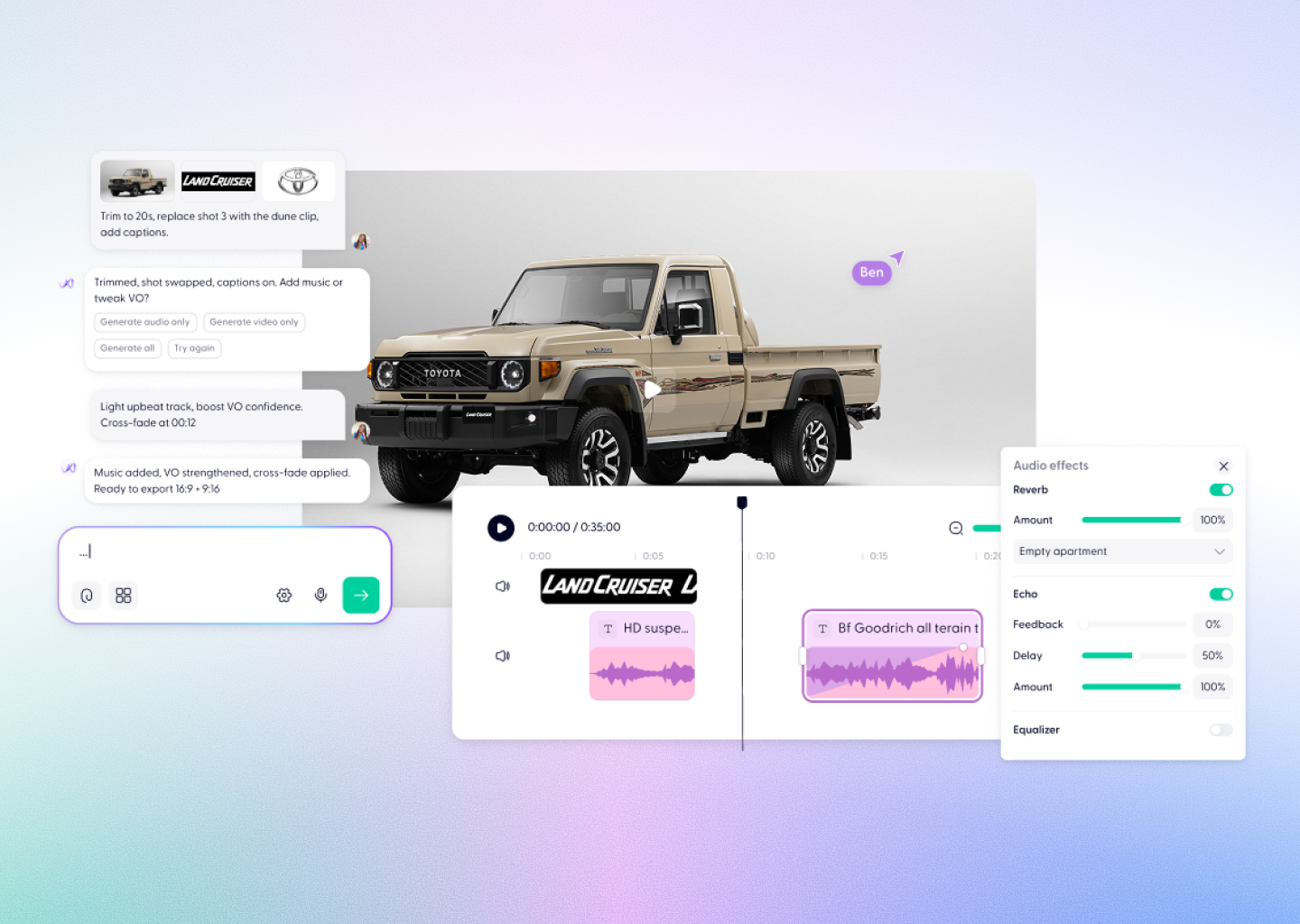


Kling 1.6 Video Creation, Powered by Wondercraft
Kling 1.6 is Kuaishou's refined AI video model — now available in Wondercraft Studio. With smoother motion, full HD output, and extended clip lengths, Kling 1.6 bridges the gap between experimental generation and production-ready content. In Wondercraft, Kling 1.6 becomes part of a full creative pipeline for polished storytelling, branded video, and campaign work.
Try it in Wondercraft


Kling 1.6
Kling 1.6 elevates AI video with smoother motion, full HD resolution, and extended clips — ideal for professional creative work.
Refined Motion Quality
Noticeably smoother, more natural movement than first-generation Kling.
Full HD Output
Up to 1080p resolution for professional-grade content across platforms.
Extended Clip Duration
Longer clips for richer, more complete scenes and sequences.
Character Stability
Faces and figures maintain consistency across frames and transitions.
Expressive Camera Control
Guide framing, angle, and movement through prompt direction.
Brand-Ready Quality
Output polished enough for ads, branded content, and client work.
Wondercraft Visual Workflows
Wondercraft transforms Kling 1.6 into a professional video production pipeline — connecting HD generation with sound design, editing, and branded publishing.

From Prompt to Production
Start from a sentence or storyboard — Wondercraft turns it into a polished video scene.

AI Voices and Sound Design
Pair Kling 1.6 visuals with natural AI dialogue, ambient sound, or background music.

Editing Suite
Fine-tune pacing, transitions, and visuals using Wondercraft's real timeline.

Collaboration Tools
Work with your team, collect feedback, and publish together.

Publishing and Export
Share or embed your videos directly, or export in multiple aspect ratios.

Kling 1.6 alone vs. Kling 1.6 in Wondercraft
Feature
Kling 1.6 Alone
 Kling 1.6 in Wondercraft
Capabilities
Workflow
Control
Ideal for
HD video, smoother motion
Generate HD clips via API
Text prompts, reference images
Creators needing higher quality
HD video, voice, and publishing
Prompt to published video
Timeline, voices, Wonda direction
Marketers, brand teams
Flux.1 Kontext Max Alone
Long-form multi-image editing
Image generation and scene mapping
Text and style-based guidance
Visual designers, art directors
Flux.1 Kontext Max in Wondercraft
Full multimedia storytelling with audio and timeline
End-to-end production from script to release
Visual, audio, and Wonda-assisted co-direction
Storytellers, educators, and production teams

Why Wondercraft?
Professional motion, production workflow.
Kling 1.6 delivers HD quality; Wondercraft adds editing, sound, and publishing.
Multiple models, one studio.
Mix Kling 1.6 with Veo 3.1, Seedance, and more — all inside Wondercraft.
Editing that feels natural.
Drag, trim, add sound, and adjust pacing visually — all inside Wondercraft.
AI as a creative partner.
Wonda helps you shape tone, emotion, and creative direction in real time.
How it works
FAQs
Everything you need to know about
Kling 1.6
What is Kling 1.6?

Kuaishou's second-generation video model with smoother motion, full HD output, and extended clip support.
Is Kling 1.6 available in Wondercraft?
Yes — generate and edit Kling 1.6 videos directly inside Wondercraft Studio.
What makes Kling 1.6 different from Kling 01?
Higher resolution, smoother motion, and longer clips — a significant step up for professional content.
Can I add sound or voiceover?
Yes. Wondercraft lets you layer AI voices, music, and ambient audio over your Kling 1.6 visuals.
Is Kling 1.6 suitable for branded content?
Absolutely. Its HD output and motion quality make it ideal for brand campaigns and client work.
Higher Quality. Fully Produced.
From prompt to polished HD video, Kling 1.6 in Wondercraft Studio gives you smoother motion and longer clips with the voiceover and editing pipeline to publish with confidence.
Try it in Wondercraft