


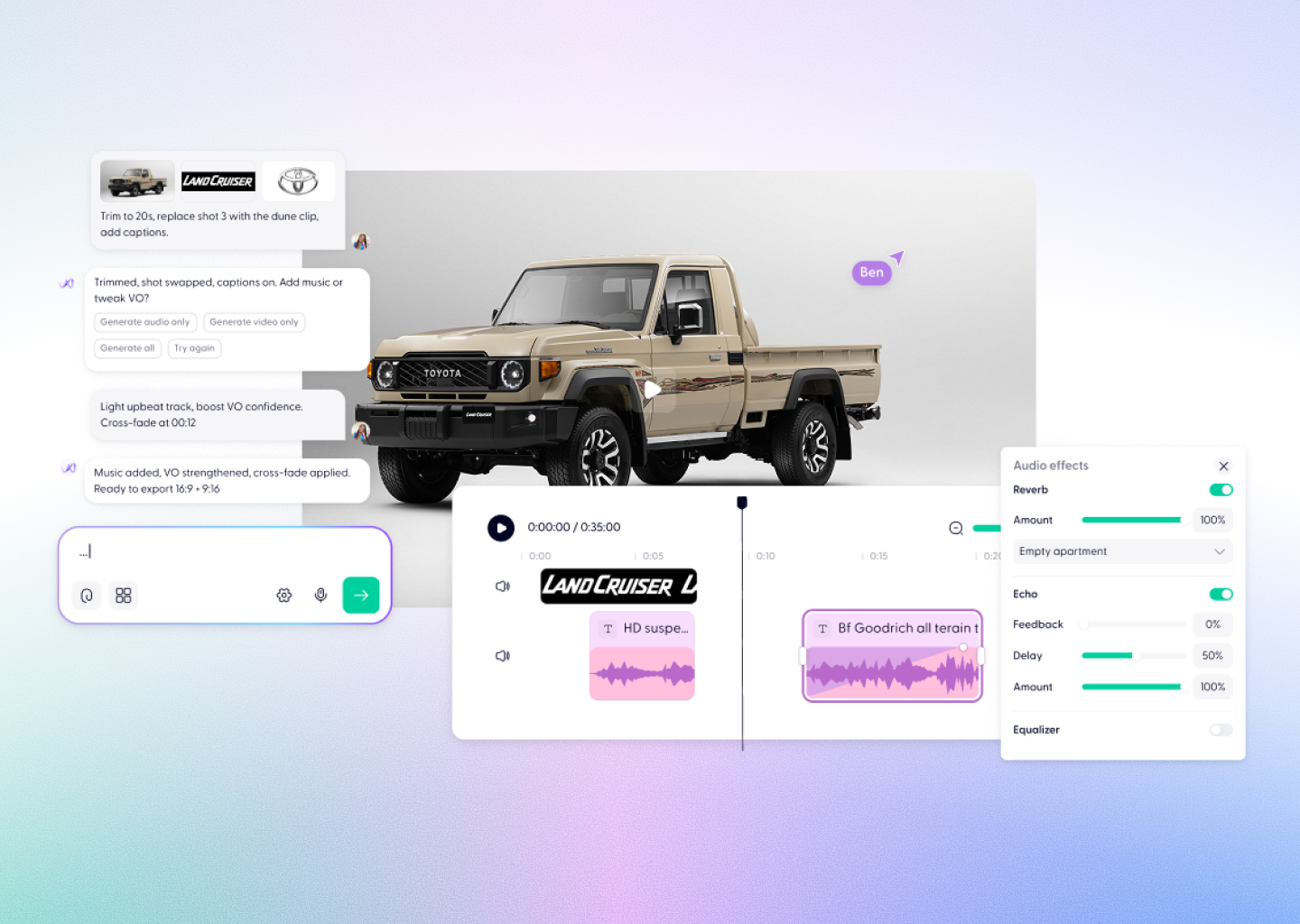



Flux 3 Video Creation, Powered by Wondercraft
FLUX 3 is Black Forest Labs’ multimodal AI model for creating video with native audio. Generate from a prompt, image, or video reference—and produce expressive, consistent scenes with sound that matches the action.
Try it in Wondercraft


Flux 3
FLUX 3 brings image, video, and audio generation together in one model. Use it to turn an idea into a polished video, animate visual references, keep characters consistent across scenes, and create multilingual dialogue with audio that feels connected to the moment on screen. It is particularly suited to cinematic storytelling, social video, explainers, and branded content.
Multimodal generation
Create video with synchronized audio from one unified AI model.
Text-to-video
Turn a detailed prompt into a complete visual scene with sound.
Image-to-video
Animate a reference image while preserving its subject, look, and composition.
Video references
Use video references to guide movement, characters, and visual continuity.
Native audio
Generate dialogue, ambience, and sound effects that follow the action.
Multilingual storytelling
Create video concepts with multilingual dialogue and on-screen text.
Wondercraft Visual Workflows
Wondercraft turns FLUX 3’s multimodal video generation into a complete creative workflow—combining video, sound, editing, and story in one place.

Describe your idea
Write a prompt describing the subject, setting, action, visual style, and desired sound.

Add visual references
Upload an image or video reference when you want more control over characters, composition, or motion.

Generate with FLUX 3
FLUX 3 creates the video and its native audio together from your instructions.

Refine the result
Adjust the prompt or references to iterate on movement, visual details, dialogue, and sound.

Use it in your project
Bring your generated clips into your Wondercraft workflow to build a finished story.

FLUX 3 alone vs. FLUX 3 in Wondercraft
Feature
Flux 3 Alone
 Flux 3 in Wondercraft
Capabilities
Workflow
Control
Ideal for
Video and audio generation
Prompt and reference-based creation
Individual AI-generated clips
Video creators and creative teams
Video, audio, editing, and publishing
From brief to finished video
Generated clips shaped into stories
Marketing, training, and communications teams
Flux.1 Kontext Max Alone
Long-form multi-image editing
Image generation and scene mapping
Text and style-based guidance
Visual designers, art directors
Flux.1 Kontext Max in Wondercraft
Full multimedia storytelling with audio and timeline
End-to-end production from script to release
Visual, audio, and Wonda-assisted co-direction
Storytellers, educators, and production teams

Why Wondercraft?
Create in one workspace
Generate FLUX 3 clips alongside the other assets needed for your content.
Move from idea to story faster
Use AI-generated visuals and audio to develop concepts without a traditional production setup.
Keep your creative workflow flexible
Experiment with prompts and references until the scene matches your brief.
Choose the right model for each scene
Use FLUX 3 when you need multimodal video generation, then combine it with other creative tools in Wondercraft.
How it works
FAQs
Everything you need to know about
Flux 3
What is FLUX 3 Video?

FLUX 3 Video is a multimodal AI video model from Black Forest Labs. It can generate video and audio together from text prompts and visual references.
Can FLUX 3 generate sound and dialogue?
Yes. FLUX 3 is designed to generate video with native audio, including environmental sound, sound effects, and multilingual dialogue.
Can I use an image as a reference for FLUX 3 video?
Yes. You can use visual references to guide the subject, style, character, and composition of a generated video.
What is FLUX 3 best for?
FLUX 3 is well suited to cinematic scenes, character-led stories, product videos, social content, and multilingual video concepts that benefit from aligned visuals and audio.
Who created FLUX 3?
FLUX 3 was created by Black Forest Labs and is currently offered in Early Access.
Visual. Audible. Ready to tell a story.
Create FLUX 3 videos with native audio, then shape them into polished, business-ready content in Wondercraft—from first prompt to final edit.
Try it in Wondercraft