


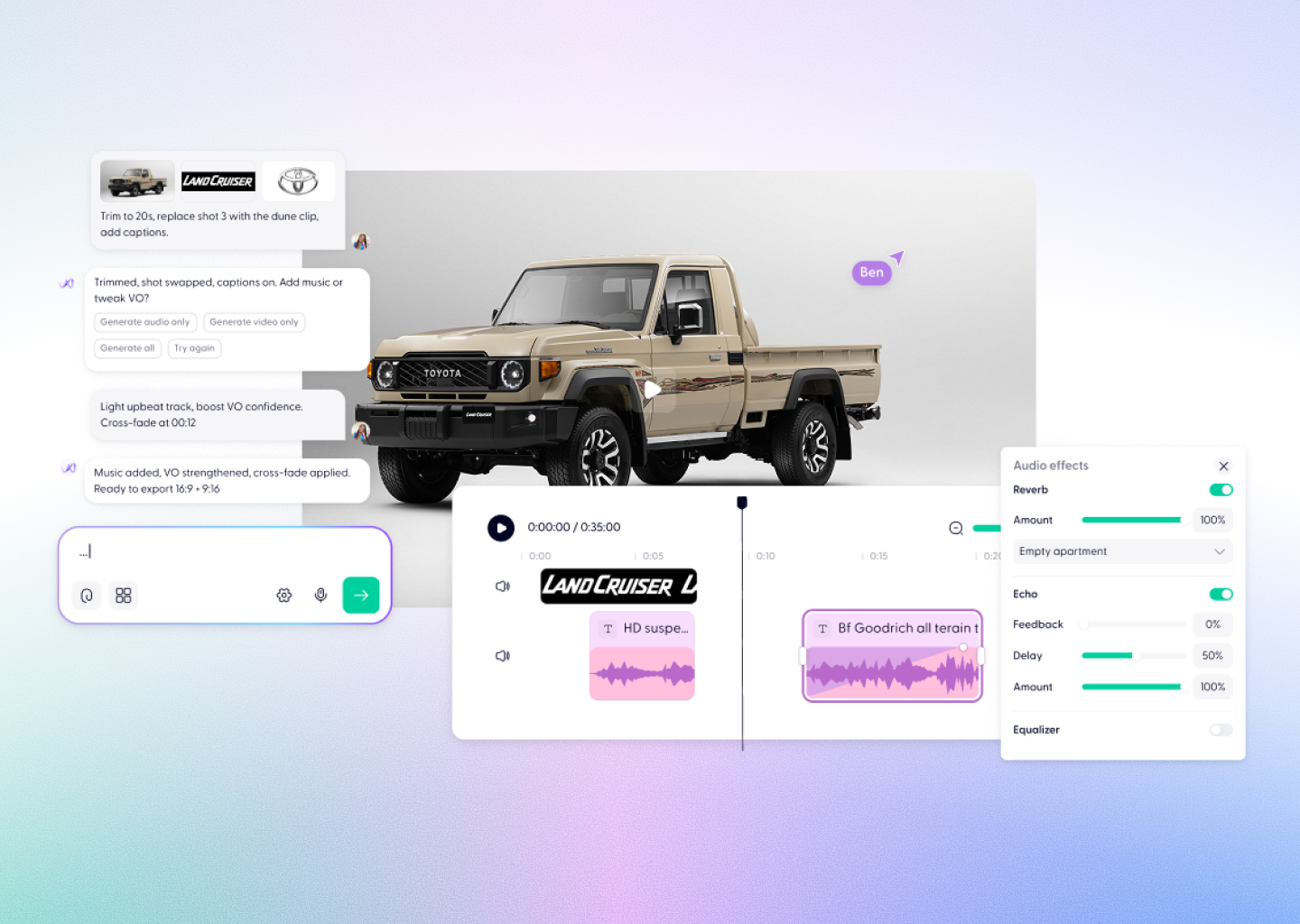



MiniMax H3 Video Creation, Powered by Wondercraft
MiniMax H3 is an omni-modal AI model for creating and editing video from text, images, video, and audio. Generate up to 15-second 2K video with native stereo audio and precise creative control.
Try it in Wondercraft


MiniMax H3
MiniMax H3 combines multimodal understanding with high-resolution video generation. Use text, image, video, and audio inputs to guide a scene, make controlled edits, and create video with native stereo sound. In Wondercraft, H3 becomes part of a complete workflow for turning generated scenes into finished content.
Omni-modal generation
Work across text, images, video, and audio in one generation and editing model.
Native stereo audio
Generate video with immersive stereo audio as part of the same creative output.
Up to 2K resolution
Create high-resolution video with sharper visual detail for premium creative work.
Up to 15 seconds
Generate longer clips with room for motion, performance, and a complete scene.
Video-to-video motion transfer
Use video input to guide motion while shaping a new visual result.
Brand and text accuracy
Bring brand details, instructions, and visible text into the creative direction.
Wondercraft Visual Workflows
Wondercraft connects MiniMax H3’s multimodal video generation and editing to a complete production workflow—so you can move from a creative brief to a polished video in one place.

Start with a clear brief
Describe the subject, action, setting, visual style, camera movement, and sound you want.

Add multimodal references
Use image, video, or audio inputs to guide the character, motion, look, or performance.

Generate with MiniMax H3
Create up to 15 seconds of 2K video with native stereo audio from your creative direction.

Refine the scene
Use controlled generation and editing to improve the motion, visuals, brand elements, or scene details.

Finish in Wondercraft
Arrange your clips, add narration, captions, music, and branding, then prepare the final video.

MiniMax H3 alone vs. MiniMax H3 in Wondercraft
Feature
MiniMax H3 Alone
 MiniMax H3 in Wondercraft
Capabilities
Workflow
Control
Ideal for
Multimodal video generation
Text, image, video, and audio inputs
A high-resolution generated clip
Creators exploring individual scenes
Video, audio, editing, and publishing
From creative brief to finished video
Generated scenes shaped into a clear story
Marketing, product, and communications teams
Flux.1 Kontext Max Alone
Long-form multi-image editing
Image generation and scene mapping
Text and style-based guidance
Visual designers, art directors
Flux.1 Kontext Max in Wondercraft
Full multimedia storytelling with audio and timeline
End-to-end production from script to release
Visual, audio, and Wonda-assisted co-direction
Storytellers, educators, and production teams

Why Wondercraft?
Move from generation to finished video
Turn MiniMax H3 scenes into structured, business-ready content instead of leaving them as isolated clips.
Bring every creative layer together
Combine generated video with voice, music, images, captions, and existing brand assets in one workspace.
Keep control in the edit
Use Wondercraft’s timeline to shape pacing, structure, and final presentation after generation.
Create for real use cases
Build content for campaigns, ecommerce, product storytelling, training, and social media.
How it works
FAQs
Everything you need to know about
MiniMax H3
What is MiniMax H3?

MiniMax H3 is a general-purpose omni-modal AI model from MiniMax. It understands text, images, video, and audio, and generates video with native stereo audio.
What inputs does MiniMax H3 support?
MiniMax H3 supports text, image, video, and audio inputs, giving creators multiple ways to guide generation and editing.
Can MiniMax H3 generate audio with video?
Yes. MiniMax H3 generates video with native stereo audio as part of the same output.
What resolution and duration does MiniMax H3 support?
MiniMax H3 generates video at up to 2K resolution and up to 15 seconds in length.
Is MiniMax H3 available in Wondercraft?
Yes. MiniMax H3 is available in Wondercraft as part of a complete video-creation workflow.
High-resolution. Multimodal. Ready to create.
Create MiniMax H3 video with native stereo audio and detailed multimodal control, then turn it into polished, business-ready content in Wondercraft—from first brief to final edit.
Try it in Wondercraft